v1.13.1
2026-10-10
Each customer has its own database login
- Every customer's ERP now connects to its database with a login of its own that can reach no other customer's data, on top of the separation it already had.
- Nothing changes in how you use the ERP.
v1.13.0
2026-10-09
ERP for hospitals and nursing homes
- Choose "Hospitals & nursing homes" for a company and it opens with specialities, roles, a tariff, a pharmacy, a test catalogue and wards ready to edit.
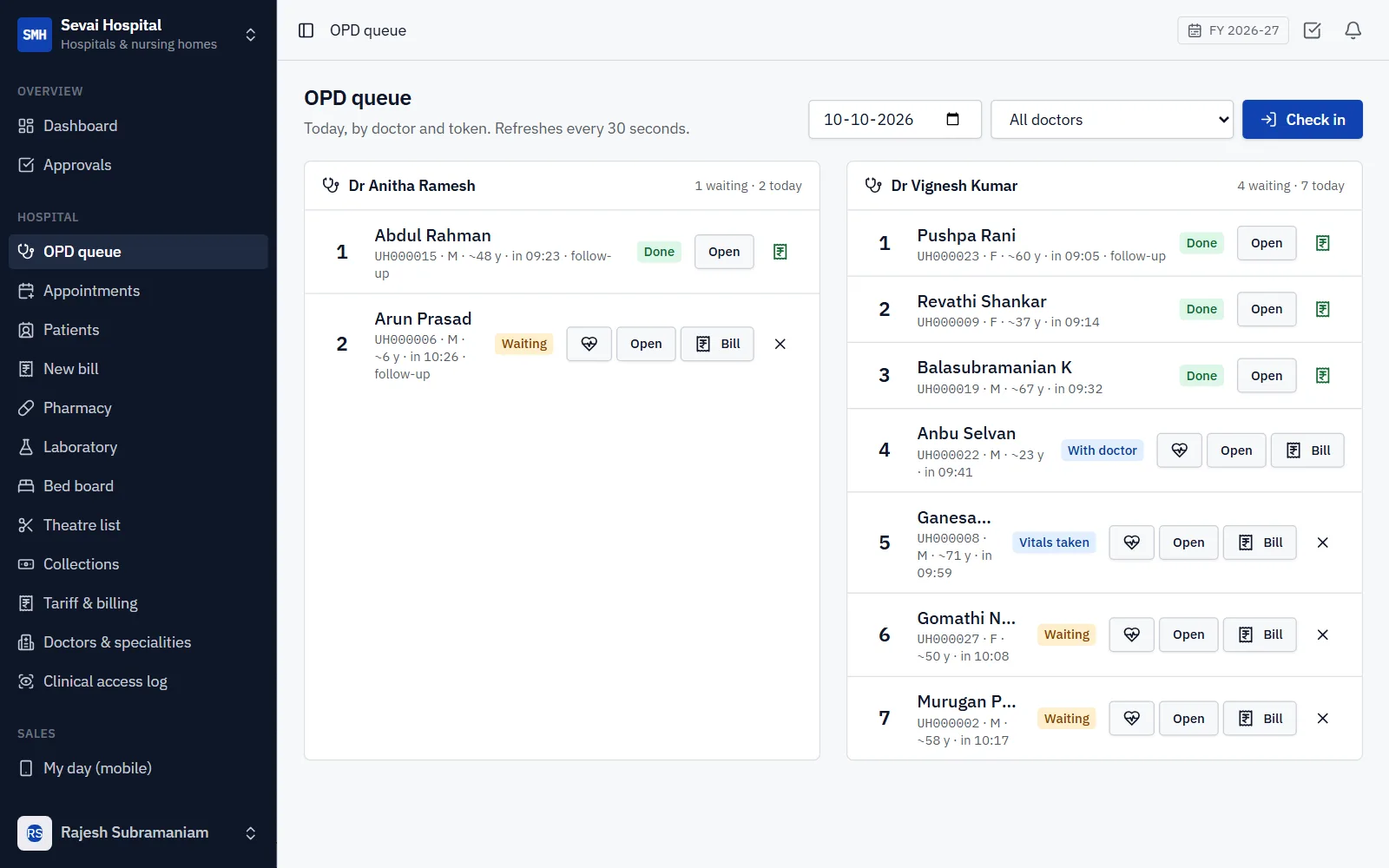
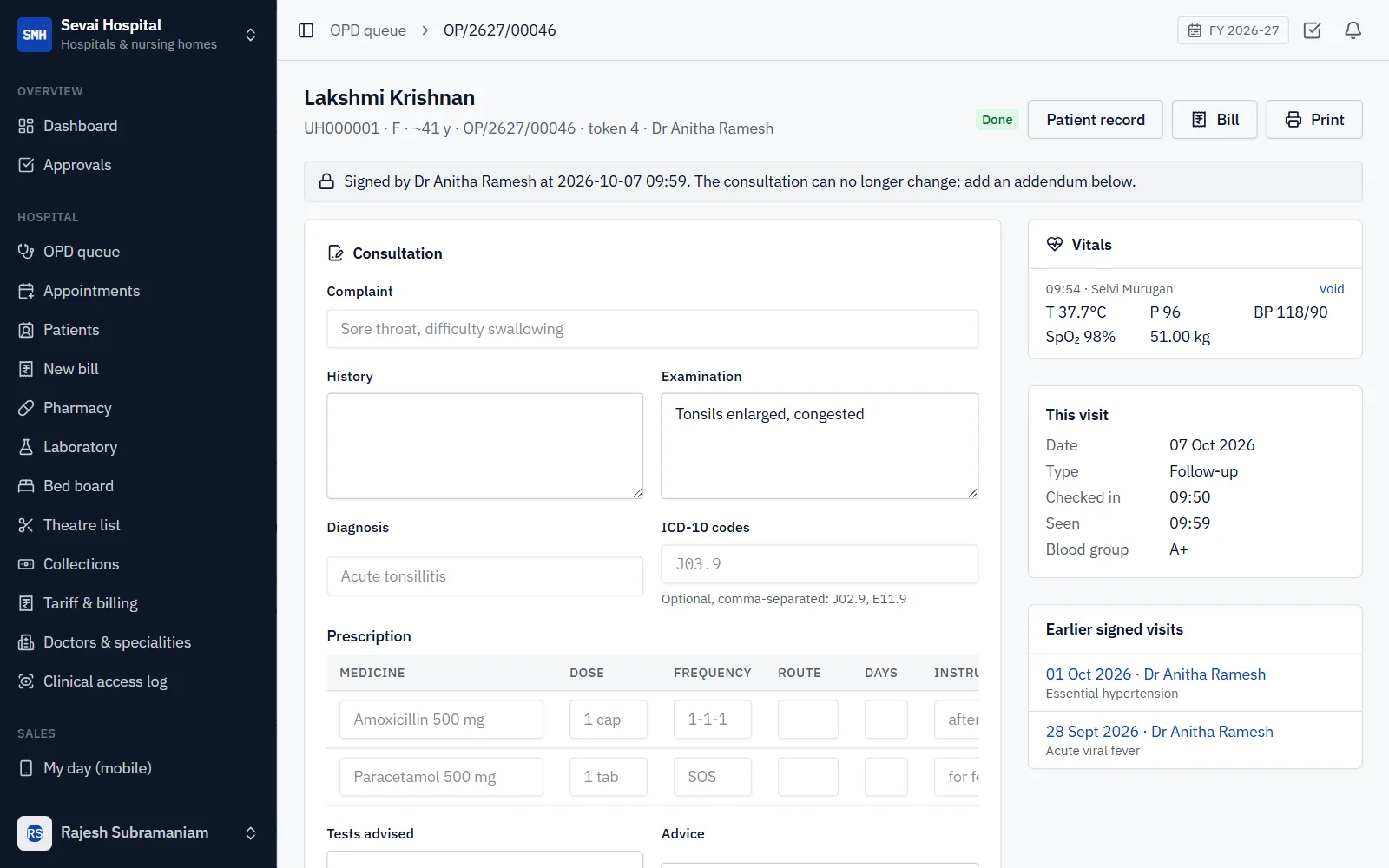
- The OPD: registration with one number for life (UHID), appointments, a token queue per doctor, vitals, consultation notes and prescriptions that are frozen once signed. Every opening of a clinical record is logged.
- Billing at the counter: consultations and services, deposits, discounts within a limit, refunds and a day-end report that ties to the books.
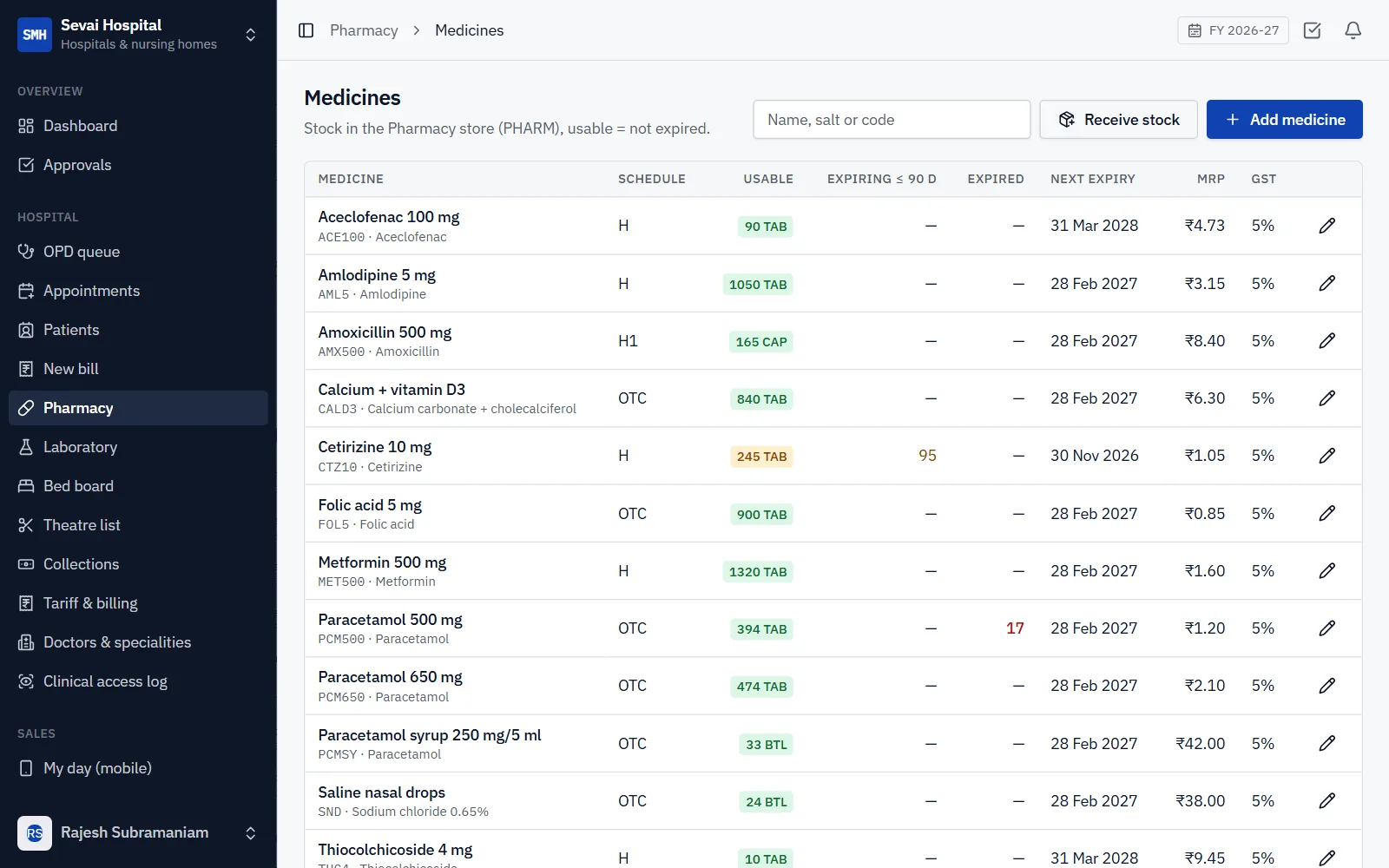
- The pharmacy dispenses against the prescription from the batch that expires first, never above MRP, takes returns and keeps the Schedule H1 register.
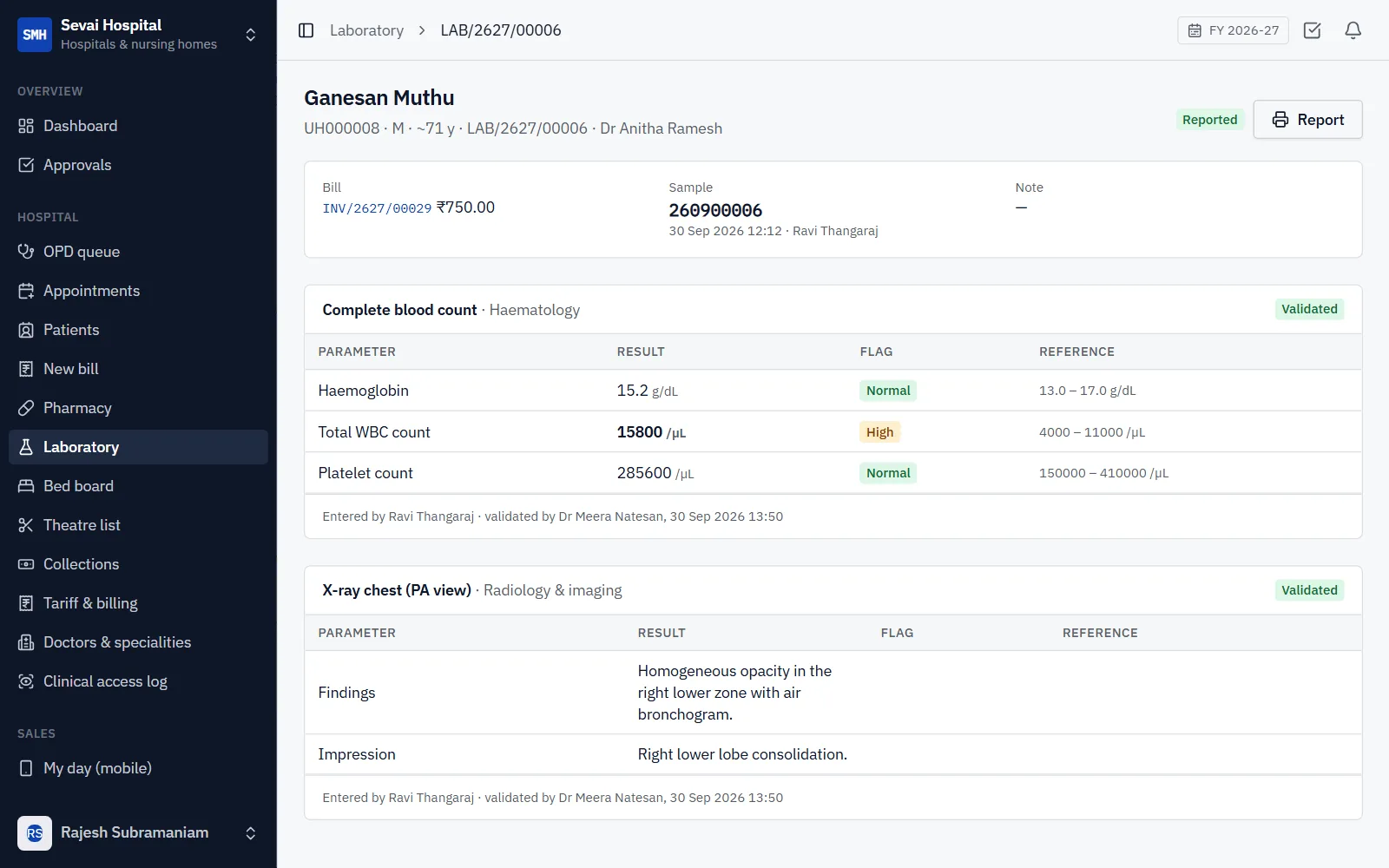
- The laboratory: orders from the OPD and the wards, sample numbers, results flagged against your reference ranges, validated by a second person, and printed reports.
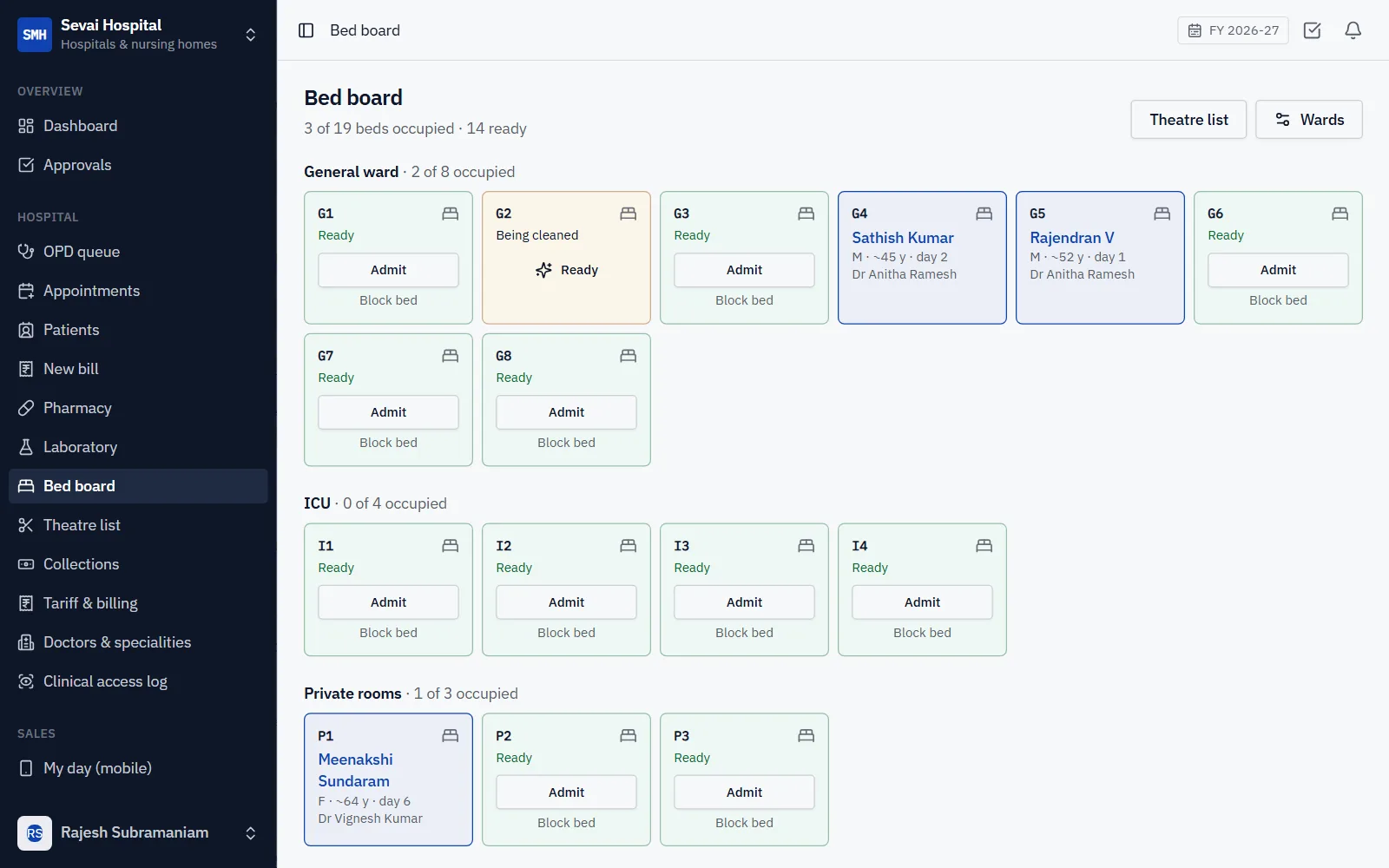
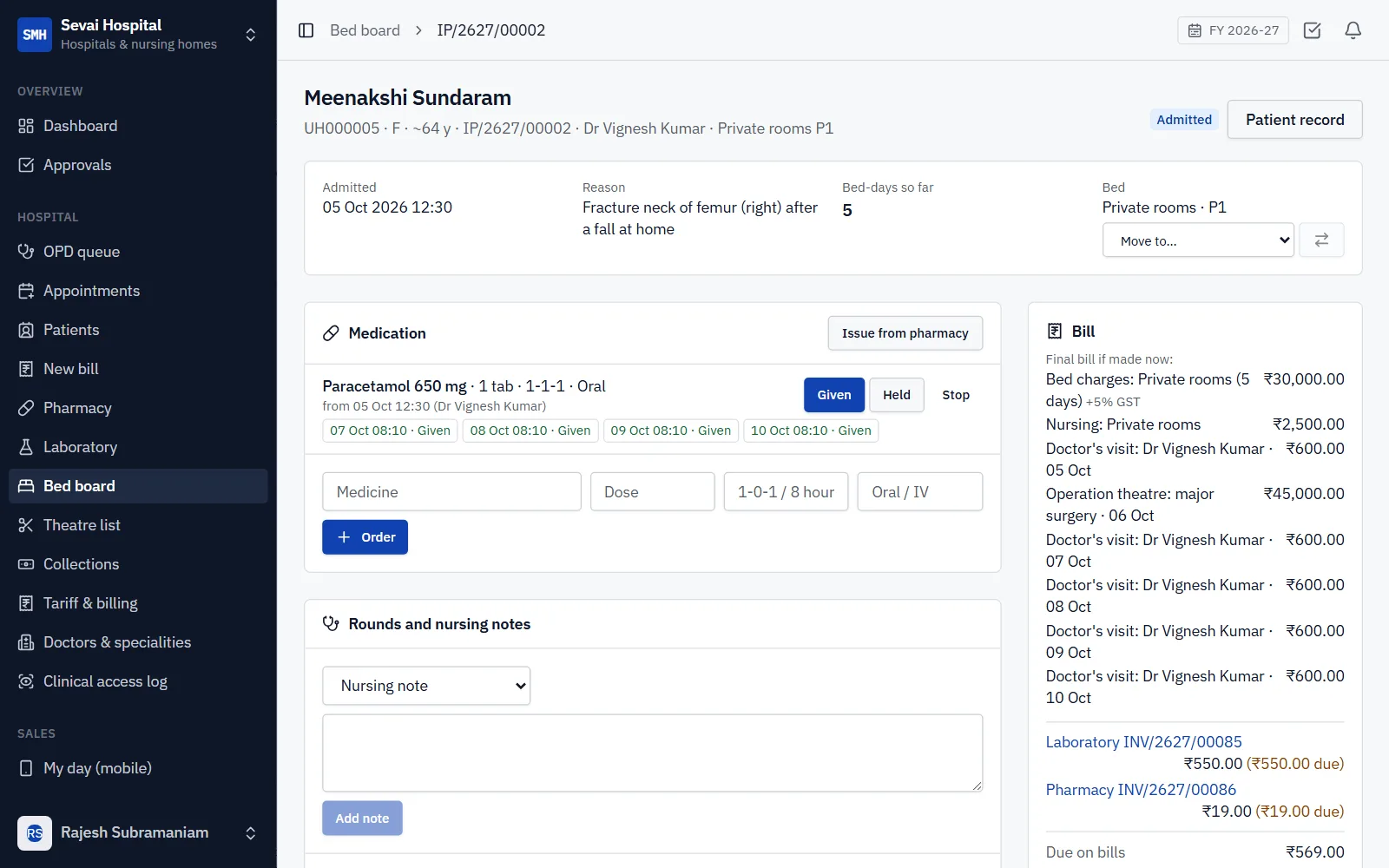
- In-patients: a live bed board, admission with a deposit, transfers, medication charts with every dose recorded, rounds and nursing notes, the theatre list and insurance pre-authorisation.
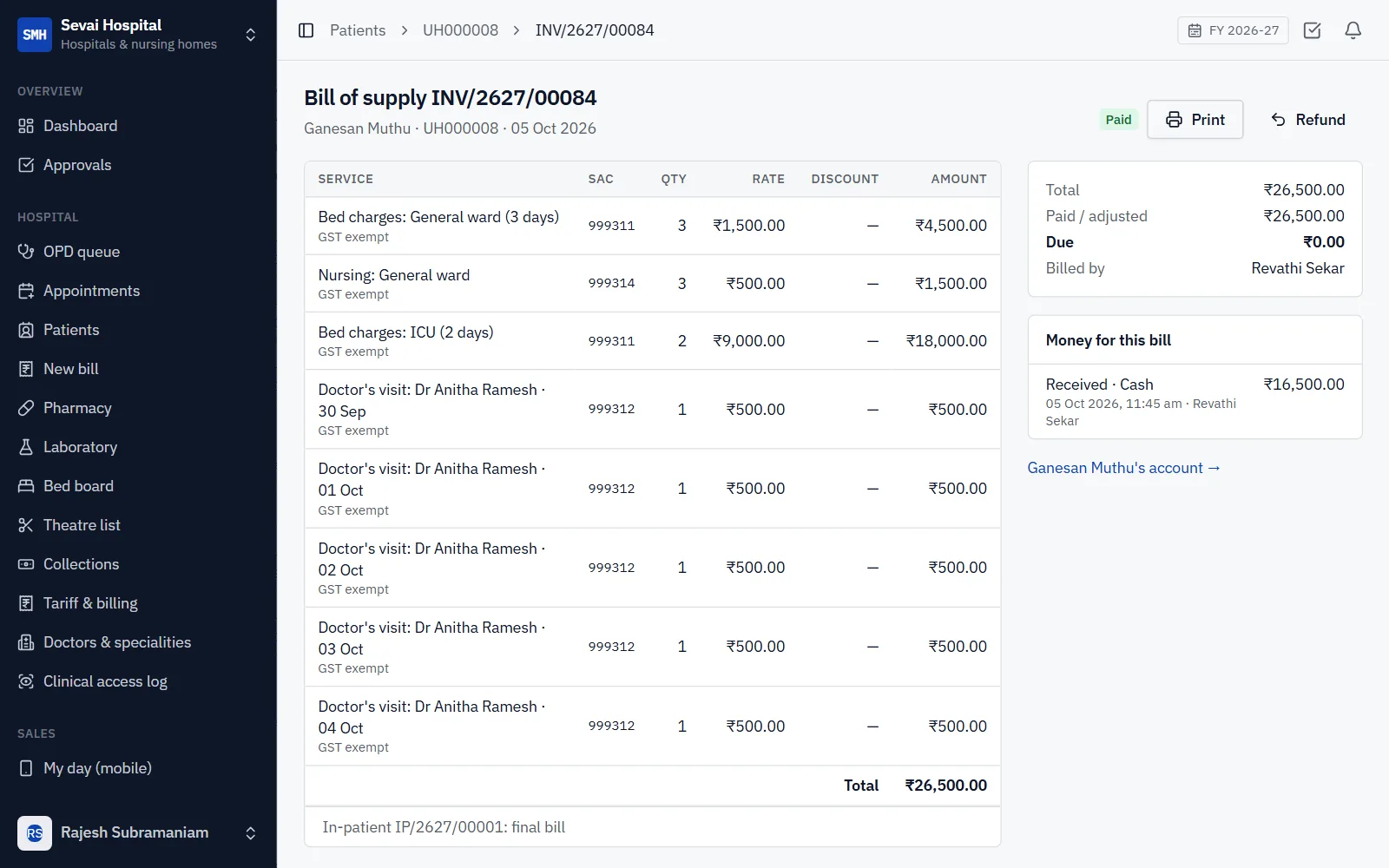
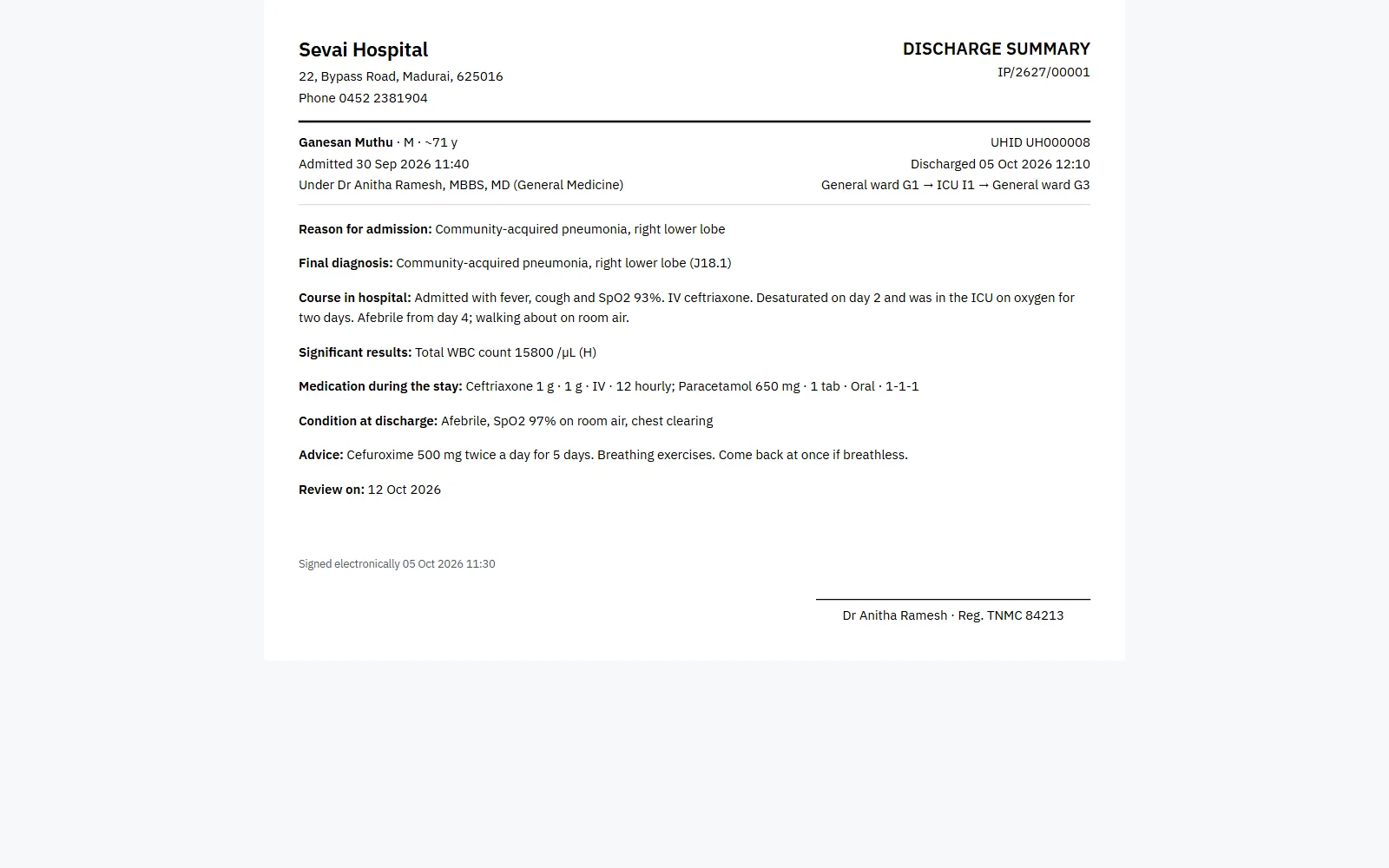
- The final bill counts bed-days at midnight and holds every visit, procedure and operation; the doctor signs the discharge summary from the stay.
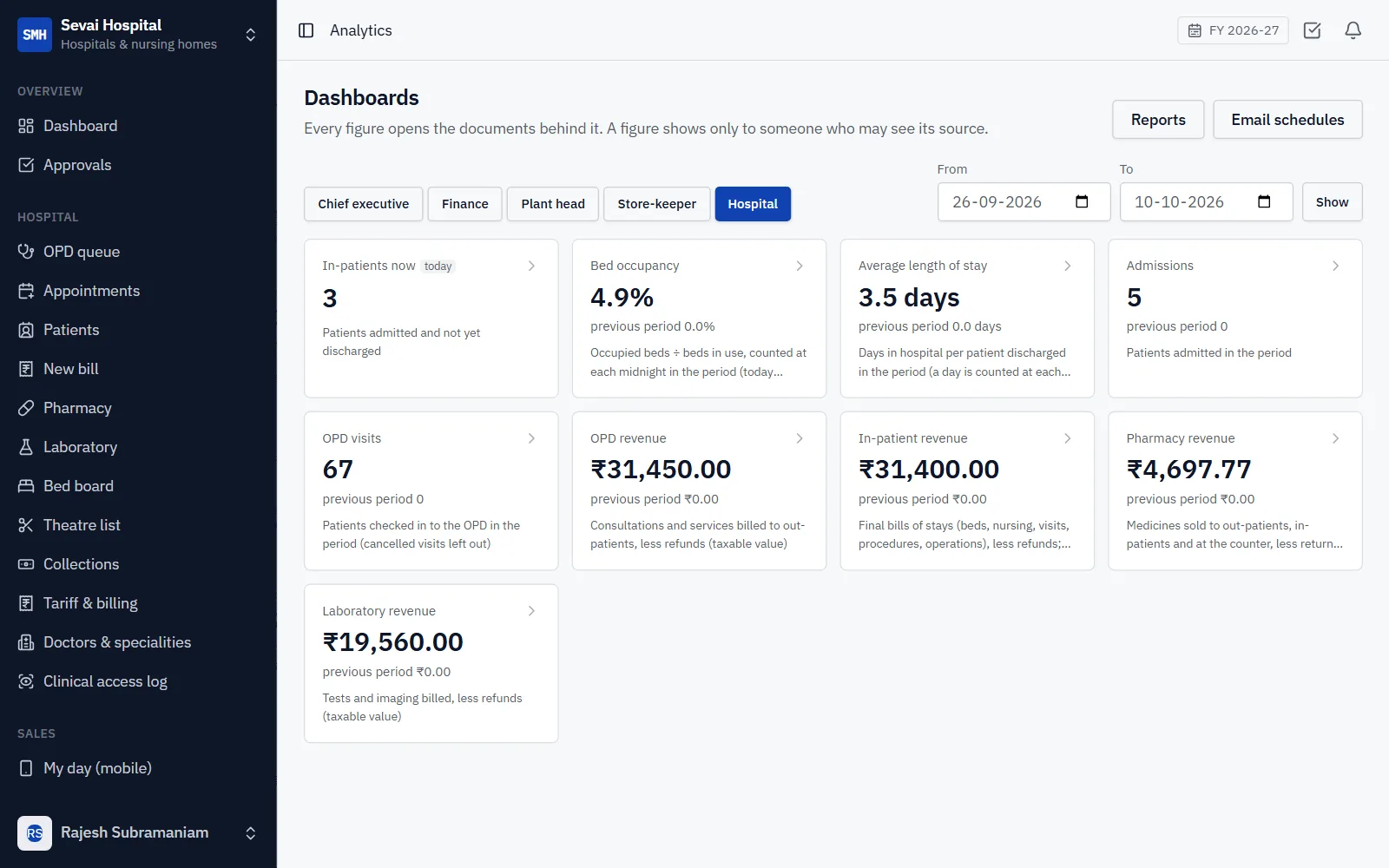
- A Hospital board under Analytics: in-patients now, bed occupancy, average length of stay, OPD visits and revenue by department, each figure opening the records behind it.
v1.12.1
2026-10-09
A fuller distributor demo
- The distributor demo company now has three salesmen on six beats with about 120 shops, a van, cheques and claims, all made through the product itself.
- A salesman sign-in on the demo opens the salesman's phone app: today's beat, orders, van sales and collections.
v1.12.0
2026-10-09
Principals, market returns and claims
- Give each item its principal (the brand owner), and mark the trade schemes the principal pays back.
- Record market returns line by line as saleable, damaged or expired. Damaged and expired goods are held for the claim.
- Build claims on a principal from the books: schemes given (free goods and discounts on the bills), expired and damaged goods, and price drops on stock. Send them, then settle each with the principal's credit note or mark it rejected. The books follow at every step.
- Secondary sales per principal: by month, outlet, beat and item, with a CSV to send them.
v1.11.0
2026-10-09
Van sales
- Set up a van as a warehouse, with its vehicle and its salesman, and load it from the godown in the morning.
- The salesman bills shops straight from the van on the phone: priced like an order (schemes, free goods, MRP), paid by cash, UPI, cheque or on credit within the shop's credit rules. Without signal the sale waits on the phone and is billed once.
- Unload what comes back, then settle the day: count the van, enter the expenses and the cash handed over. Count differences, cash short or over, receipts and expenses are all posted in one step.
- A van takes no new load until its last day is settled (can be switched off).
v1.10.0
2026-10-09
Load sheets, refused goods, cheques and collections
- Print a load sheet for a trip: every item and batch on its challans added up, with cases and MRP, to load the van from one list.
- Goods a shop refuses at the door become a draft credit note against its invoice in one step. Posting it brings them back into stock.
- Record cash, UPI and cheques where they are taken, on the salesman's phone too (kept on the phone without signal). The office posts them to the customer's oldest bills, and each person has a day-end sheet.
- Post-dated cheques wait until their date. A bounced cheque opens the bills again, can put the bank charges on the customer, and can put the customer on credit hold.
- Credit control: hold new orders from a customer whose oldest bill is too many days late, or who has too many unpaid bills.
v1.9.0
2026-10-09
Free goods, order-value discounts, MRP and cases
- Trade schemes now also give free goods ("buy 12, get 1 free", or another item free) and a discount once an order reaches a value. They are applied to orders by themselves, and free goods go to the challan and the invoice at nil value.
- Give items their MRP: nothing is sold above it, each received lot keeps the MRP printed on it, and prints show it under every line.
- A selling price list can be "MRP less x%", with GST taken out of the MRP.
- Items sold in cases are ordered as cases plus loose pieces, on orders and on the salesman's phone, and prints show both.
v1.8.2
2026-10-09
The sidebar keeps its place
- Scroll down the menu on the left and open a page: the menu now stays where you left it, instead of jumping back to the top.
v1.8.1
2026-10-09
Email from your own account
- Set up your email under Configuration → Email: your SMTP server (Gmail, Zoho, Microsoft 365, your web host) or your Brevo API key.
- Password reset links and scheduled reports now go out from your own address, and a test email checks the set-up.
- Until email is set up, the Forgot password page says so and scheduled reports pause with the reason.
v1.8.0
2026-10-09
Beats and the salesman's phone
- Put your shops on beats: the round each salesman makes, on which weekdays, in visit order, with each shop's outlet type.
- On the phone, a salesman opens today's beat and, at each shop, sees what it owes and how late, its credit and its last order, then takes an order or notes why there was none.
- Orders from the phone are priced from the shop's own price list and schemes, ship from the beat's warehouse and follow your credit limits and approval rules. No signal? The call is kept on the phone and sent when the signal is back.
- The beat report shows each salesman's planned shops, coverage, productive calls, lines per call and order value, and Targets can set productive calls for the month.
v1.7.1
2026-10-09
Every industry has its own company in the live demo
- The process manufacturing ERP's live demo opens a spice maker: recipes made in batches, a by-product, every lot with its expiry date, incoming and batch-release quality checks, and the grinder's monthly maintenance.
- The trading and distribution ERP's live demo opens an FMCG distributor: stock by lot and expiry, a second godown, trade schemes applied to orders by themselves, a wholesaler's own price list and a commission agent.
- Each listing now opens its own industry, so a buyer sees work like theirs from the first screen.
v1.7.0
2026-10-08
Job work for customers
- Dye, print, compact or stitch a customer's own material: receive it roll by roll and lot by lot, kept on its own register and never in your stock or books.
- Send back processed goods saying how much of their material they took, so the process loss shows on every job, and return unused material too.
- Print the inward acknowledgement and the return challan, see what you hold of each customer and since when, and bill your charges in one click.
v1.6.2
2026-10-08
Fixes to style orders and ITC-04
- The style orders list shows how many each order makes again.
- ITC-04's position with each job worker is dated today, not the end of a period that has not ended yet.
v1.6.1
2026-10-08
A textile company in the live demo
- The textile ERP's live demo opens a knitwear maker: styles in sizes and colours, fabric rolls and dye lots, knitting and dyeing at job workers, style orders, agents' commission and packing lists, with two months of its work.
v1.6.0
2026-10-08
Agents' commission and GST by price slab
- Agents and brokers: give a customer its agent and a commission rate; orders and invoices carry them.
- See what each agent has earned, as customers pay or as invoices are raised, what they have billed, and what is due.
- Make the agent's commission bill in one step, with GST and TDS under section 194H.
- GST by price slab: enter the slabs your CA confirms, by HSN and date, and every order and invoice line takes the right rate for the value of a piece.
v1.5.0
2026-10-08
Style orders and job work by the roll
- A style's BOM: fabric in each garment's own colour, and a quantity per size.
- Style orders: order a style in a size and colour grid, and get a work order for each, from one BOM.
- Issue fabric to a whole style order at once, roll by roll, shared out by what each size needs.
- Every size and colour of one fabric comes from one dye lot across the whole order.
- Job work with rolls: say what the job worker used and returned, roll by roll, and give dyed rolls their dye lot.
- Process loss at each job worker against what the BOM allows, flagged when it goes over.
- ITC-04 shows what is still with each job worker, losses, and challans pending for nearly a year.
v1.4.0
2026-10-08
Fabric rolls and dye lots
- Each fabric roll is kept on its own, with its length, weight, dye lot, shade and width.
- Receive rolls by pasting the supplier's packing list into a goods receipt.
- What is left of a cut roll shows in both metres and kilograms.
- 4-point inspection: type a roll's defect points and see them per 100 square yards, checked against your limit.
- One fabric is issued from one dye lot, so a garment never shows two shades; mixing lots on purpose needs a permission.
- Stock by dye lot, and bales with gross and net weight on the challan's packing list.
v1.3.0
2026-10-08
Styles in sizes and colours
- Add a style once and make every size and colour from it: each one is an item with its own stock, code and barcode.
- Size grid on orders, invoices, bills, goods receipts and challans: type a quantity per size and colour and get one line for each.
- Price a whole style in a price list once; a size with its own price keeps it.
- The style page shows stock as a size × colour grid, and changes to a style reach its sizes and colours.
- Printed orders, invoices and challans end with a size breakdown.
- Print barcode labels for an item or every size and colour of a style.
- Textile companies start with sizes, colours, item groups and fabric fields; others can load them under Industry features.
v1.2.0
2026-10-04
Report a bug and Request a feature, step by step
- Report a bug and Request a feature are now two separate guided forms, three short steps each.
- A bug report asks what happened, what you did just before and how much it affects you, and notes the screen you were on.
- Attach up to five screenshots: pick them, drag them in, or paste straight from the clipboard. Large images are shrunk for you.
- Help & guides has a new Getting help page that walks through both forms step by step.
v1.1.0
2026-10-04
Help, feedback and your own web address
- Help & guides: step-by-step pages for getting started, selling, buying, stock, production, GST, payroll and security, inside the app.
- Report a bug and Give feedback go straight to the team that builds the product, with a reference number.
- What's new lists every release, and a notice offers to reload when a new version arrives while you work.
- Use your own domain: the owner connects it under Configuration → Web address.
- The ERP carries your provider's name throughout.
v1.0.0
2026-10-04
First release
- Finance and GST: double-entry books, GST invoices and notes, GSTR-1 and GSTR-3B data, GSTR-2B matching, TDS, bank reconciliation and Schedule III statements.
- Sales and purchase: leads to invoices, indents to three-way-matched bills, price lists, schemes and credit limits.
- Inventory: warehouses, bins, batches with expiry, serial numbers, transfers, counts and reorder levels.
- Manufacturing and quality: bills of materials, MRP, work orders and job cards with actual costing, job work and inspections.
- People: attendance, leave, payroll with PF, ESI and professional tax, ECR, Form 16 and employee self-service.
- Plant maintenance, project job costing, logistics with proof of delivery, dashboards, a report builder, and customer, vendor and dealer portals.