Telecalling CRM Software
CRM & Sales Call one lead at a time, log what happened in one tap, and watch your whole telecalling team live.About this app
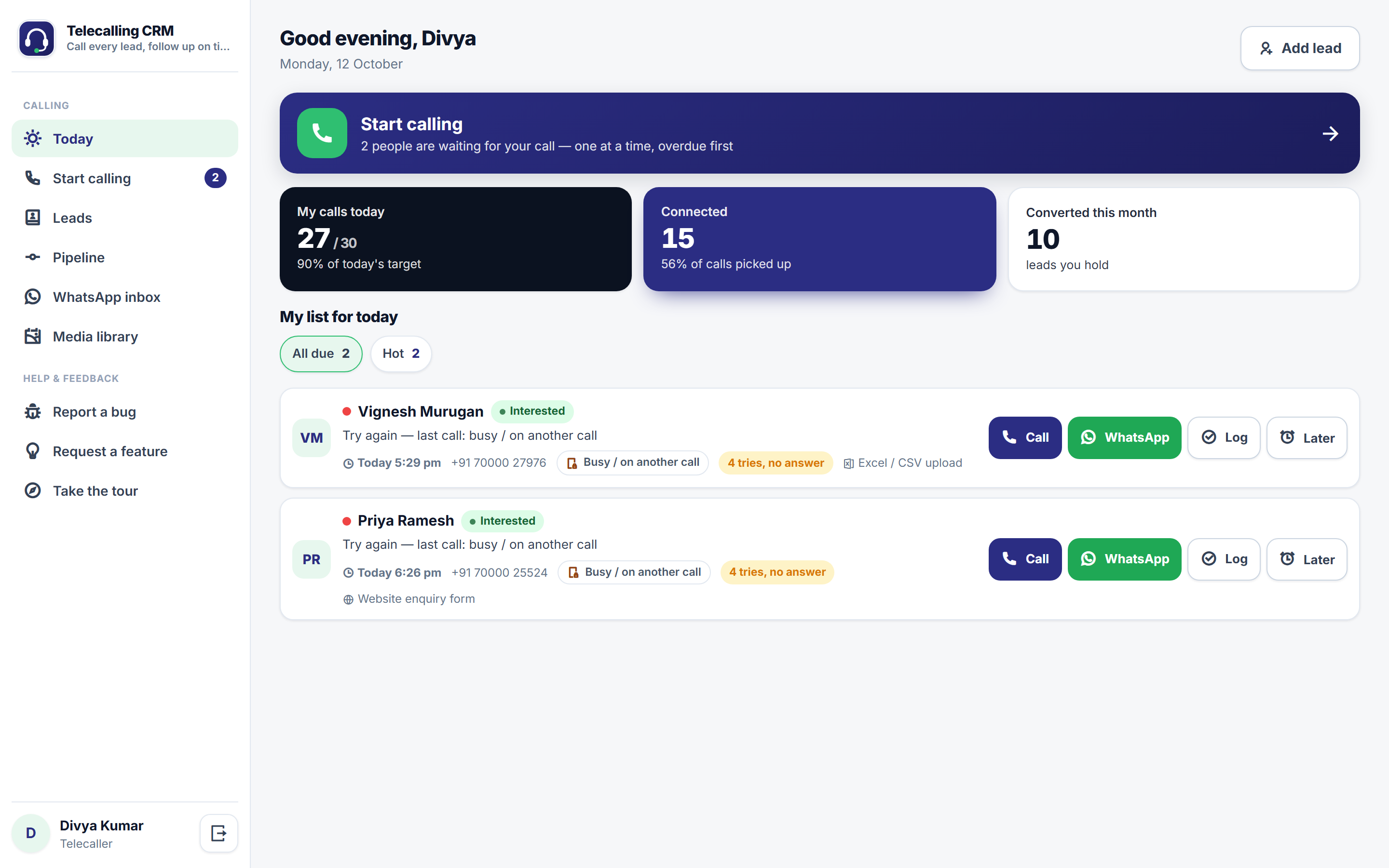
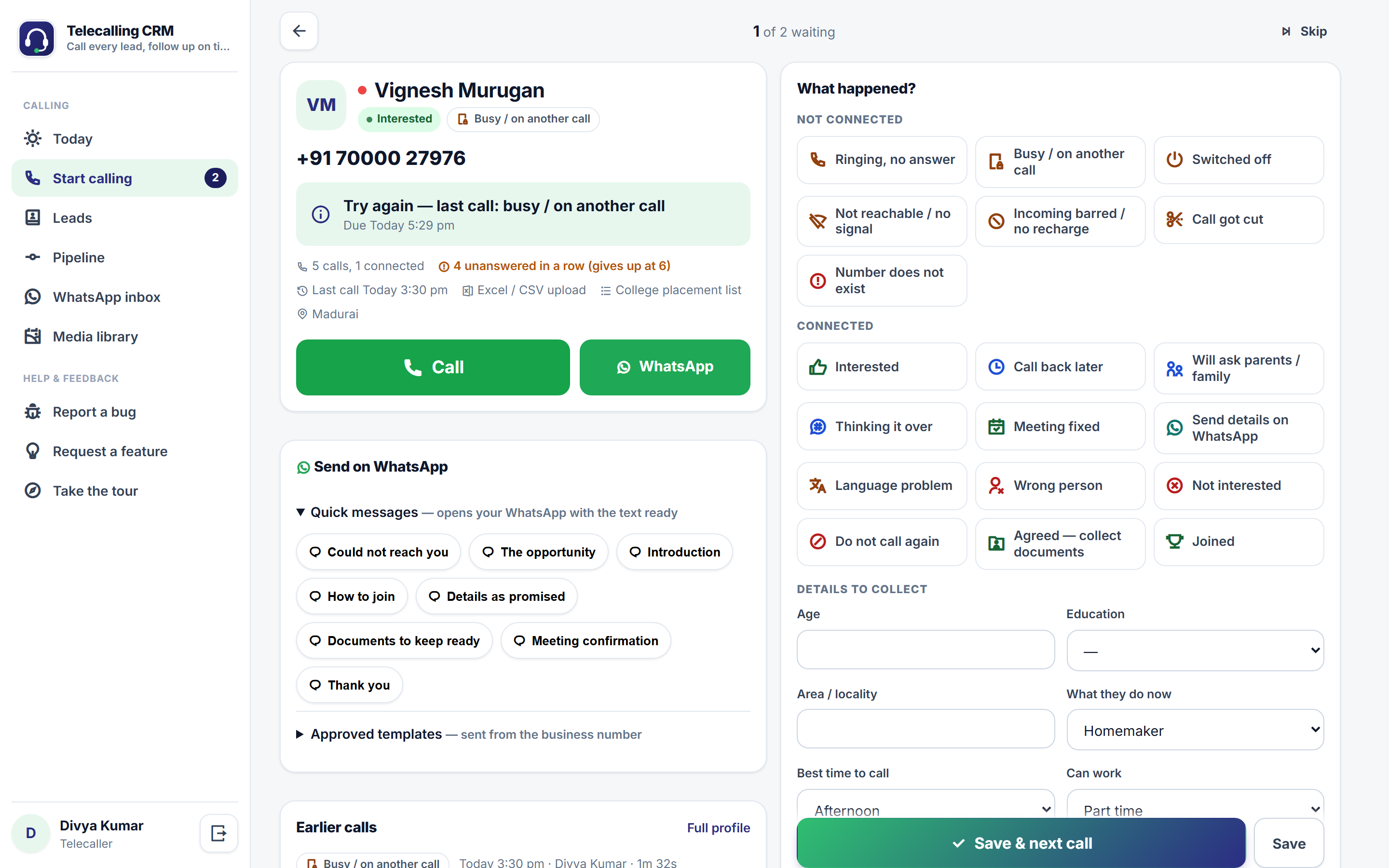
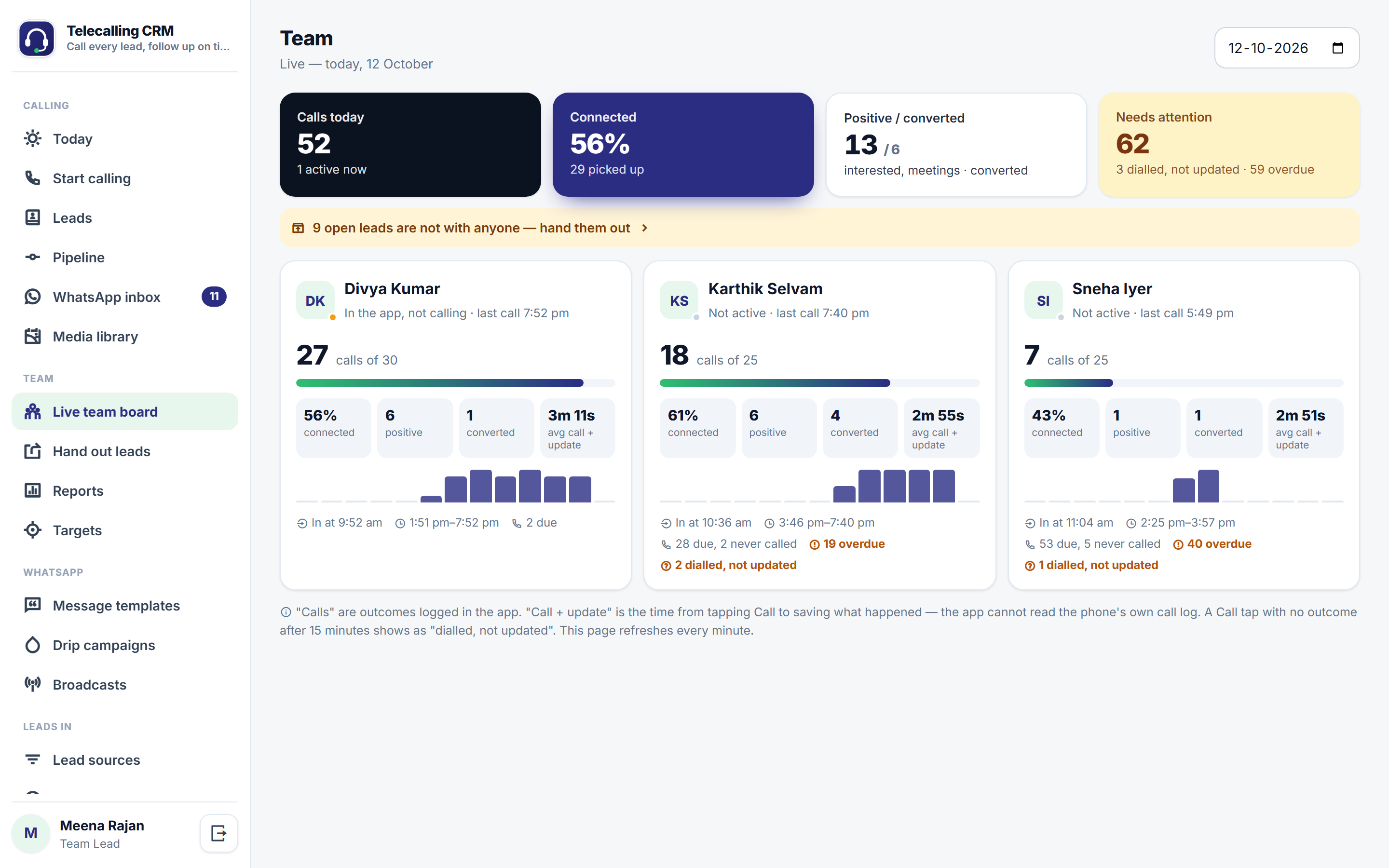
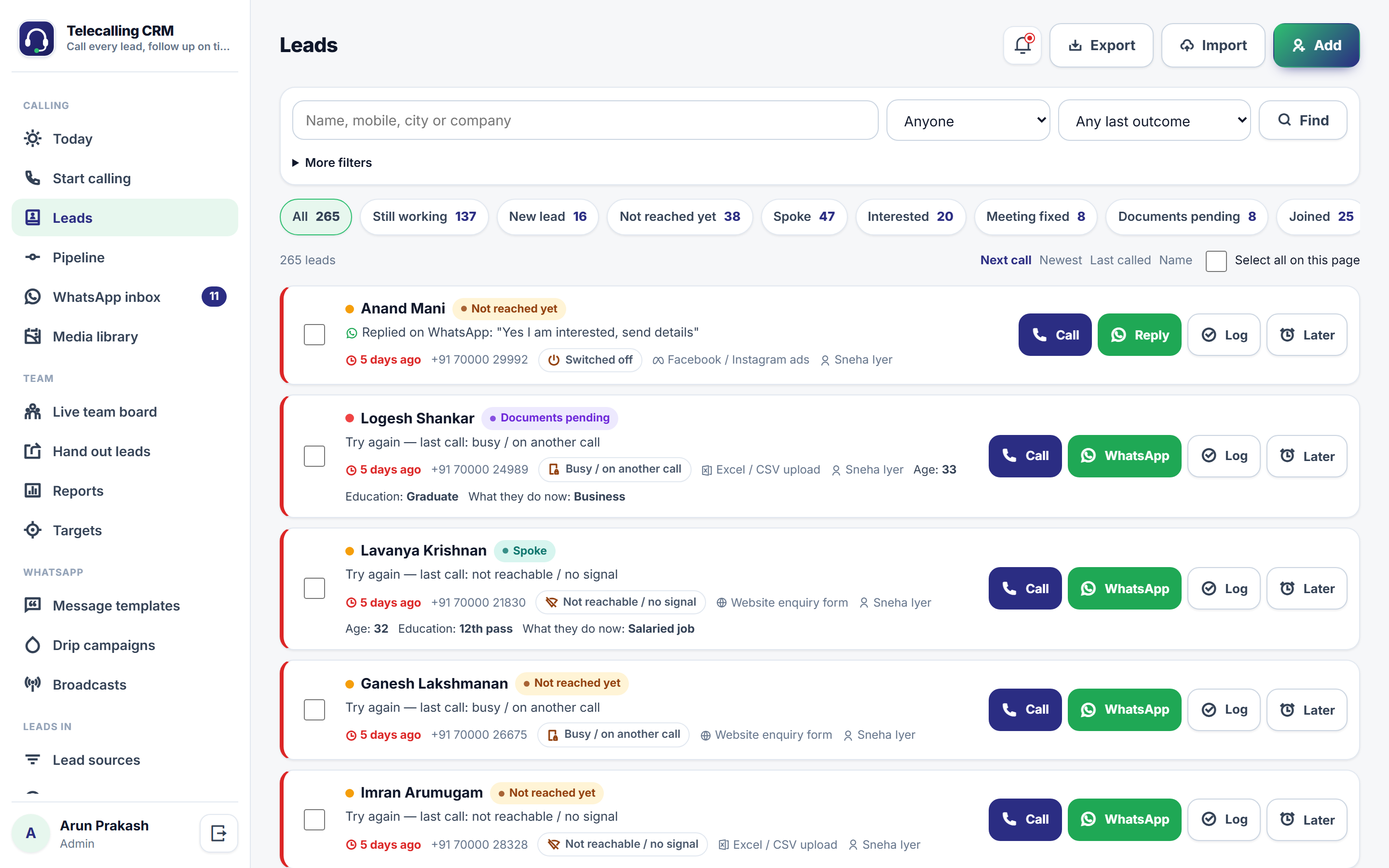
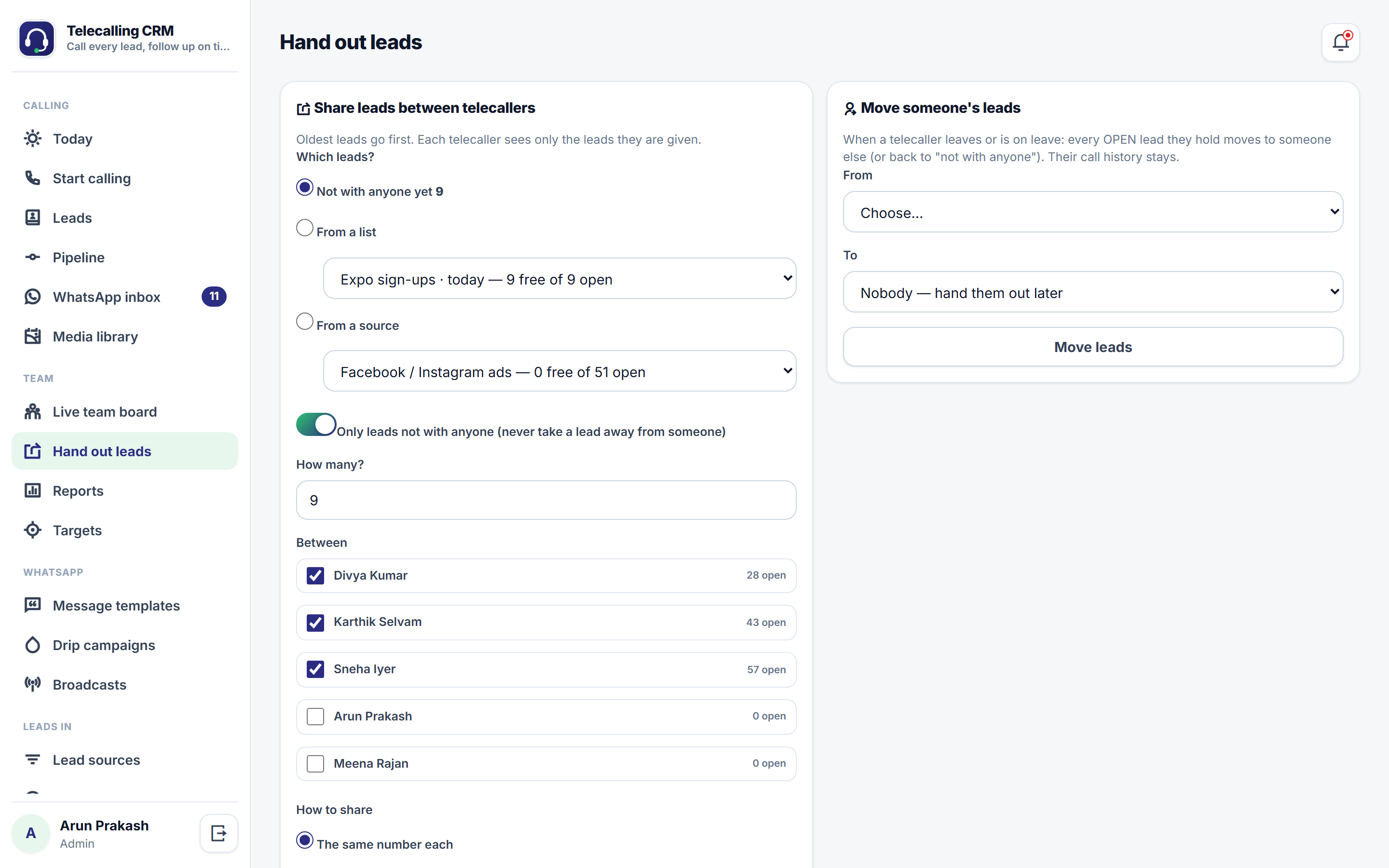
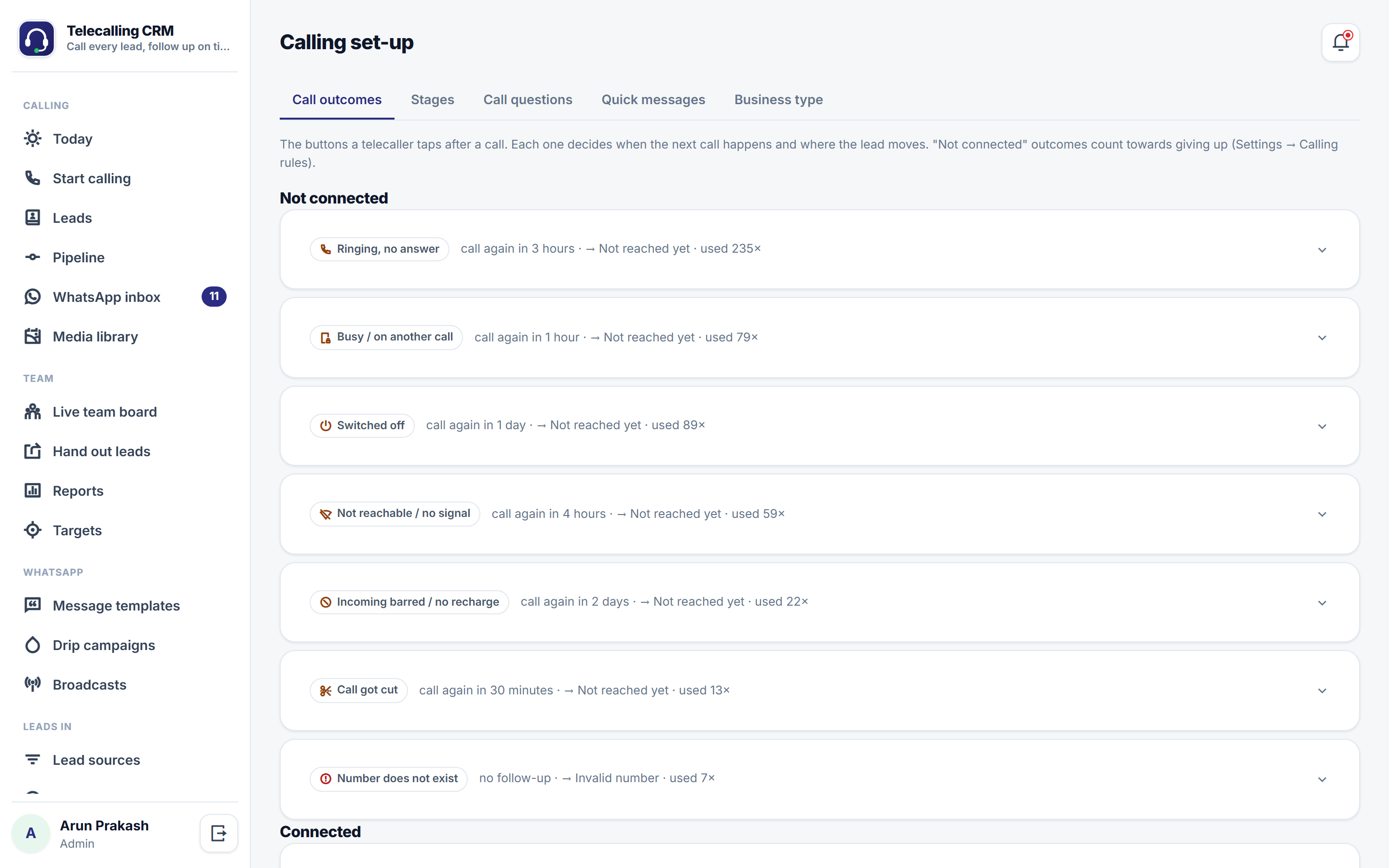
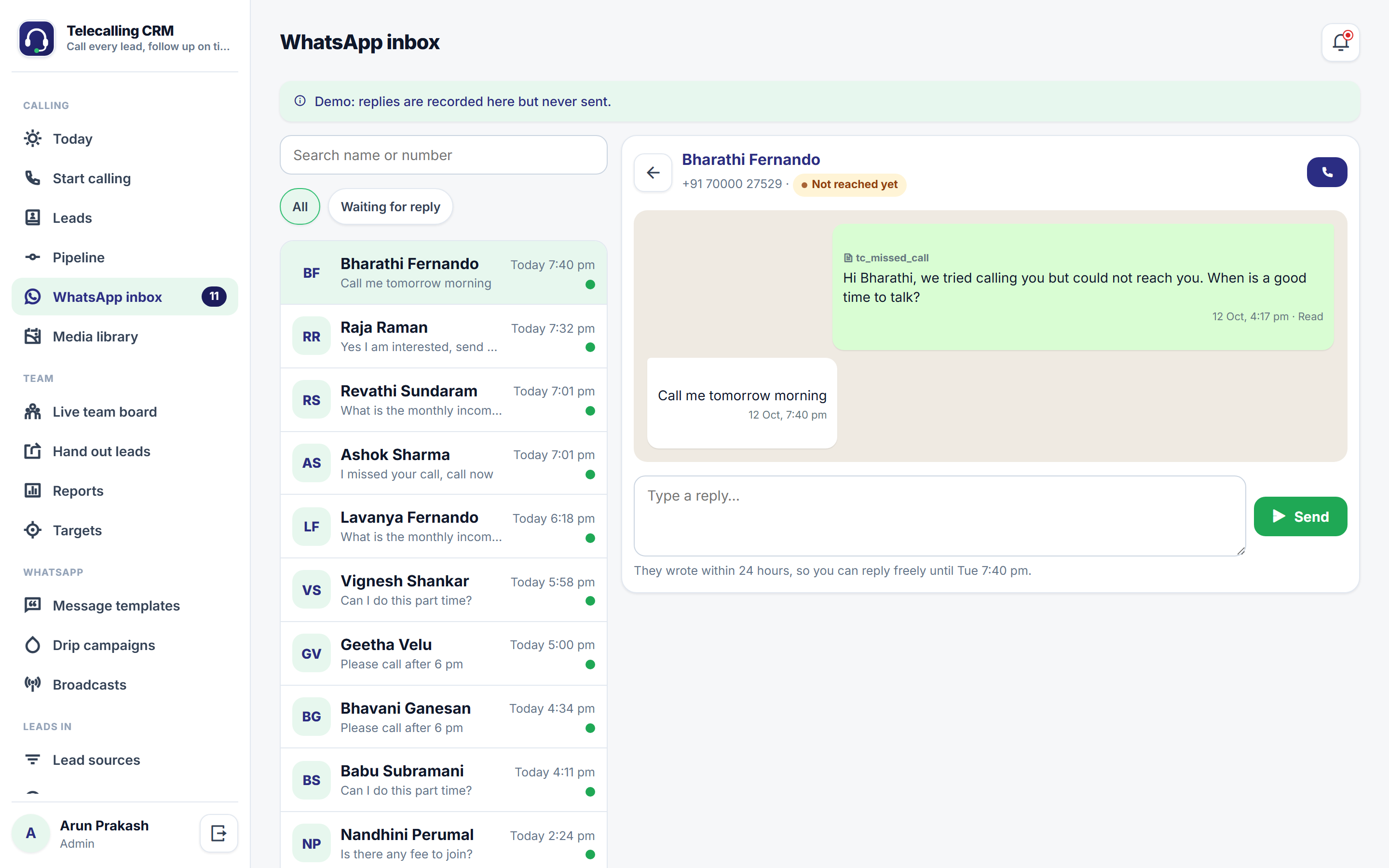
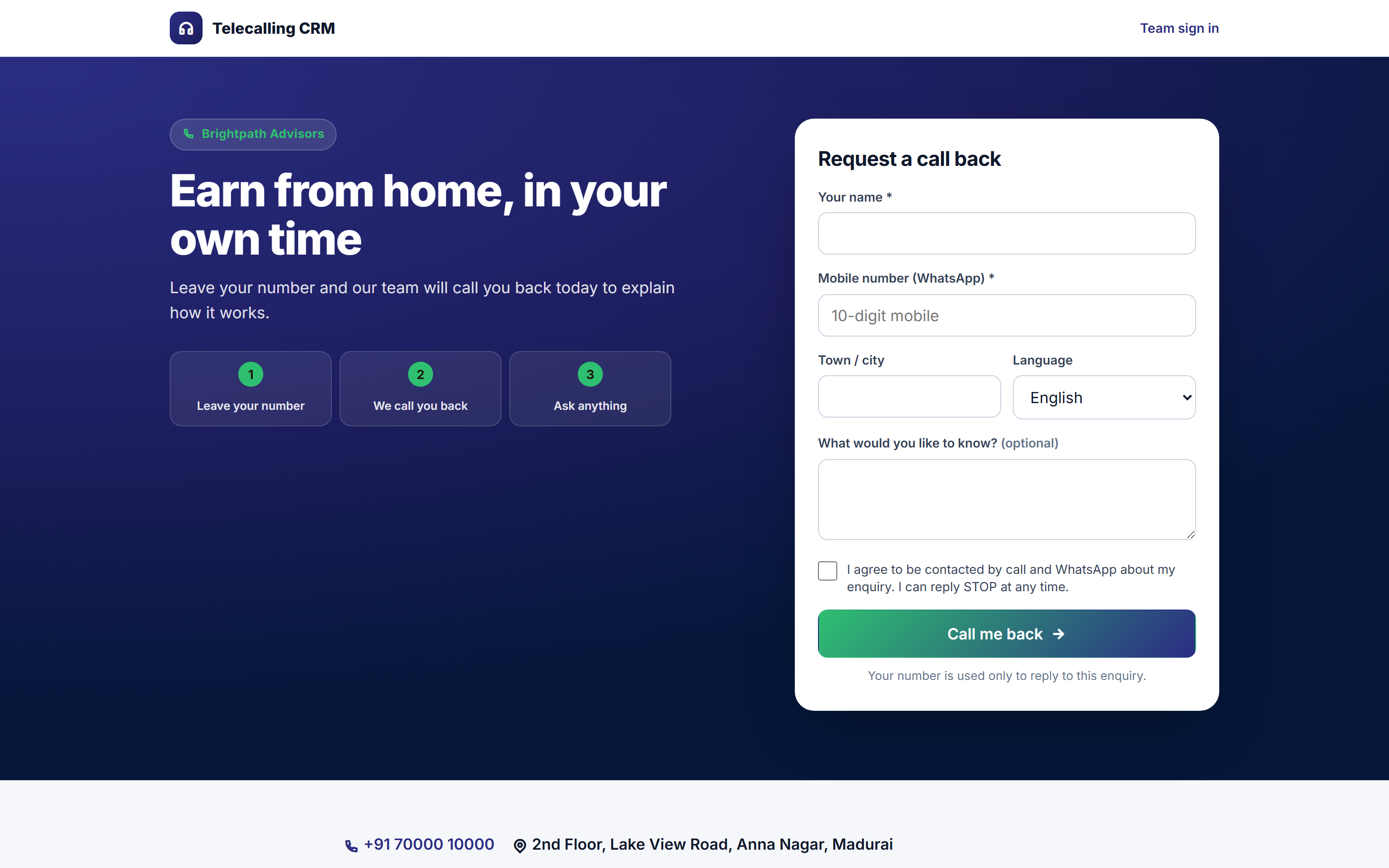
For any team that follows up leads by phone — and the owner who needs to know the calls are really being made. The calling screen shows one lead at a time: who to call now, why, and what happened last time. The telecaller taps Call, talks, taps what happened and moves on with Save & next. Every way a call ends has its own button — ringing with no answer, busy, switched off, not reachable, incoming barred, call cut — and every answer too: interested, call back later, will ask family, meeting fixed, not interested, do not call. Each one books the next call by itself; promised call-backs return at the exact time, and after several unanswered calls the lead gets a WhatsApp asking for a good time. Your own questions — age, budget, course, area, whatever you need — are filled in on the same screen and kept with the lead. The live team board shows who is calling right now, calls against today's target, how many connect, positive answers and conversions per person, and calls dialled but never updated. Hand out a new list evenly in one go, or move everything from someone who left; telecallers see only their own leads, and full numbers can be hidden from them. WhatsApp works two ways: ready messages and your own images, videos and brochures sent from the telecaller's own WhatsApp with one tap, or the official WhatsApp Cloud API for templates from your business number, drips, broadcasts and an inbox. Leads arrive from Excel lists, Google Sheets, Facebook and Instagram lead ads, your own enquiry page and other software, never duplicated. Ready set-ups for general sales, agent recruitment, insurance and loans, real estate and education admissions — under your own name, logo and colours.
Why buyers pick it
Everything included 25
- Calling screenone lead at a time, Call, outcome buttons, call questions, note, Save & next, skip
- Call outcomes for not connected (no answer, busy, switched off, not reachable, incoming barred, call cut, invalid number) and connected (interested, call back, family, thinking, meeting, send details, language, wrong person, not interested, do not call, converted)
- Every outcome books the next call; promised call-backs at the exact time; follow-ups kept inside calling hours
- Unanswered-call countinga WhatsApp after a set number, closed as not reachable after more
- Today list per telecalleroverdue first, call-backs, WhatsApp replies, never called, hot
- Call questions of your own (text, number, pick one, yes/no, date), on the calling screen and in exports
- Live team boardcalling / idle / not active, calls vs target, connected %, positive, converted, average call + update time, hourly bars, dialled but not updated, overdue
- One telecaller's dayevery call with outcome and note, dialled-not-updated, overdue follow-ups
- Hand out leadsequal split or level by open leads; from unassigned, a list or a source; move someone's leads
- Automatic assignment of new leadstelecallers in turn, nobody, or the admin
- Leads list with filters by telecaller, last outcome, next call, source, list, temperature and date; bulk share, assign, stage and drip
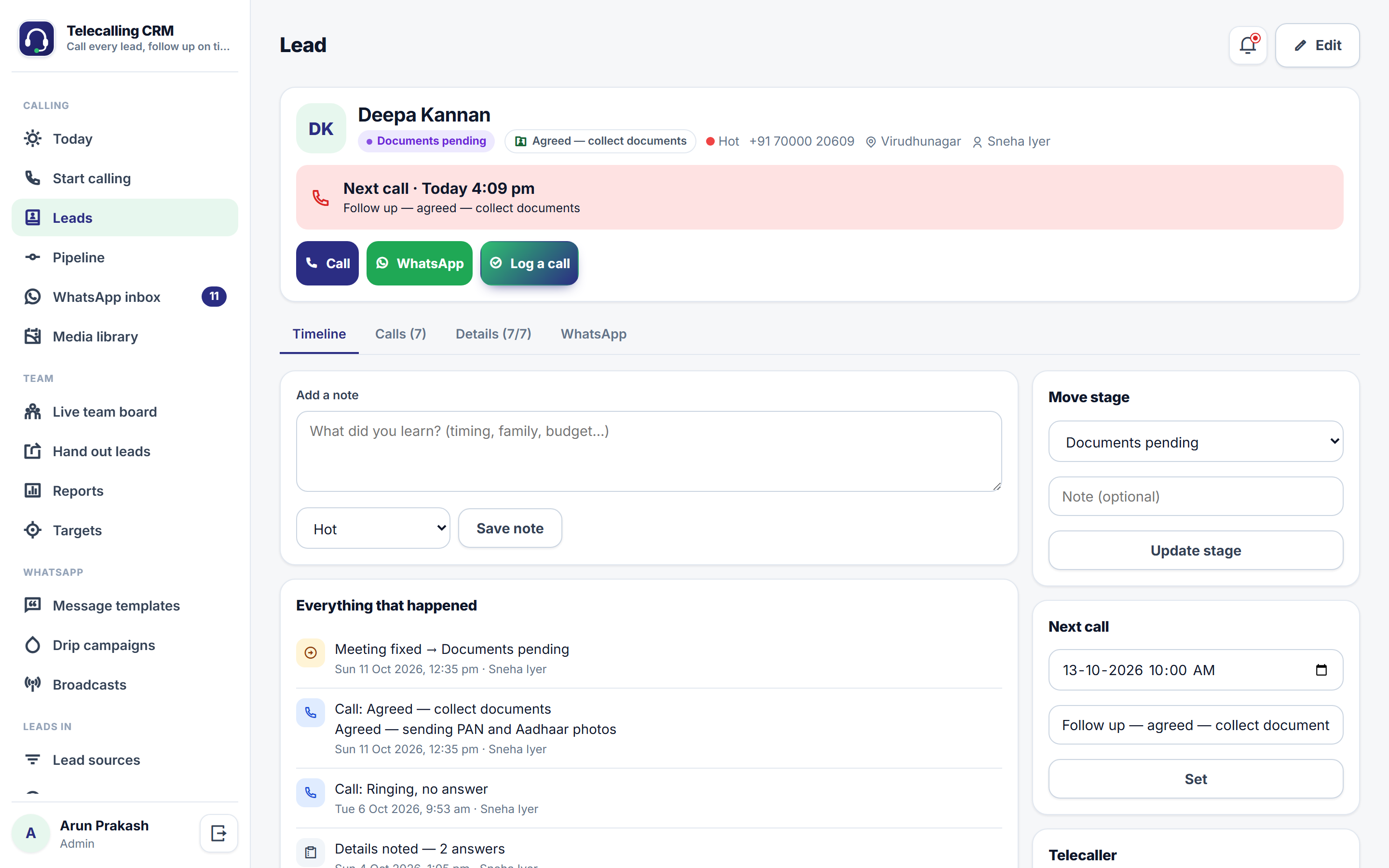
- Lead pagetimeline, calls, call answers, WhatsApp, stage, next call, telecaller; data download and erasure
- Pipeline board with drag-and-drop
- Configurable stages (still working / converted / closed), outcomes, questions, quick messages and closing reasons
- Business typesgeneral sales, agent recruitment, insurance & loans, real estate, education admissions
- Quick WhatsApp messages from the telecaller's own WhatsApp, filled in for each lead
- Media libraryimages, videos and PDFs with their own revocable link, sent from the telecaller's WhatsApp or the business number
- WhatsApp Cloud APItemplates (built-in, submit and sync with Meta), inbox, 24-hour rule, delivery and read status, STOP opt-out
- Drip campaigns per stage and for hard-to-reach leads; broadcasts with sending hours and a daily limit
- Excel / CSV import with column matching to the lead and to call questions, list names, duplicate handling
- Google Sheets sync, Facebook and Instagram lead ads, enquiry page with bot protection and consent, leads API
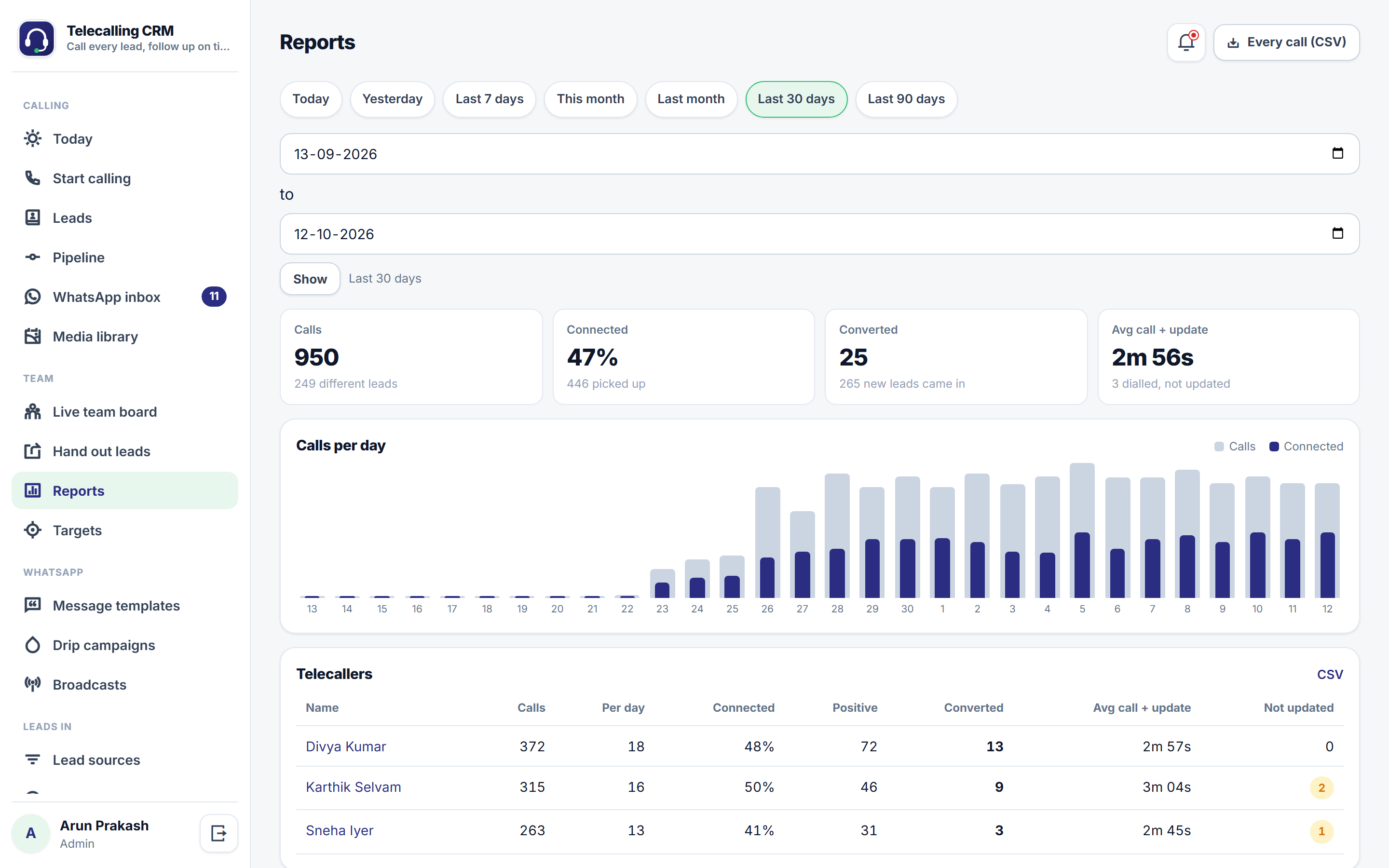
- Reports: calls per day, per telecaller, outcomes, sources and cost per lead, calls by hour, closing reasons, WhatsApp; CSV and full call log export
- Targets: calls per day per telecaller and conversions per month
- Roles: admin, team lead, telecaller (own leads only); optional hidden phone numbers
- Your own name, logo, colours and web address
What you get
Ratings and reviews
No reviews yet — be the first!
Sign in to write a reviewWhat's new
Settings are read in full during set-up
- While a new copy is being set up or its sample data rebuilt, the app now reads every saved setting. Before this update, saving one setting during set-up could make the others (such as message templates and number prefixes) read as blank until the next page load.